Apple Container 1.2.0 added an experimental Kubernetes plugin. It creates a local cluster from the kindest/node image, bootstraps upstream Kubernetes with kubeadm, configures kindnet, writes a kubeconfig, and leaves the node available to kubectl. The workflow does not require a separate desktop VM manager or Docker.
I tested the feature on an Apple-silicon Mac with 32 GB of memory. It is useful for local Kubernetes development, but the experimental status matters.
I chose SIGHUP Distribution for the second part of the test because it is a Kubernetes distribution built by my colleagues. I lead the DevSecOps team at ReeVo, which acquired SIGHUP, and I previously worked at SIGHUP. After the narrow bootstrap recovery, removal of two systemd-only tailers, and node inotify tuning documented below, Furyctl completed the apply and Grafana responded through a port-forward.
The complete scripts, manifests, configuration, and verification journal are available in the fury-apple-container repository.
What Apple Container creates
The plugin is available as container k8s, not container kubernetes:
container k8s --help
The initial command set is deliberately small:
container k8s create --name sighup-local --cpus 6 --memory 16g
container k8s list
container k8s write-config --name sighup-local
container k8s load-image --name sighup-local docker.io/library/my-app:dev
container k8s delete --name sighup-local
Apple’s implementation runs a single control-plane node in the Container runtime. The node uses a pinned kindest/node image, so it includes kubeadm, kubelet, kubectl, and containerd. The plugin publishes the Kubernetes API on a host port, then generates a kubeconfig that points to that endpoint.
I allocated six CPUs and 16 GB of memory. That is larger than a quick test cluster, but it matches the local SIGHUP Distribution tutorial and leaves enough headroom for monitoring, logging, tracing, and their storage components.
Creating a usable cluster
On a clean Container 1.2.2 installation, start the runtime and create the cluster:
container system start
container k8s create --name sighup-local --cpus 6 --memory 16g
The intended result is one Ready control-plane node running Kubernetes v1.35.5. On my host, container k8s create reached the node-preparation phase and stopped before creating a usable cluster:
Error: node prep failed on sighup-local
The cause was specific and reproducible. The kindest/node image had selected legacy iptables, while the plugin invoked iptables-nft to add TCP MSS rules. iptables-nft failed with Could not fetch rule set generation id: Invalid argument; the same rules worked through iptables-legacy. I reported the Kubernetes-plugin failure as apple/container#2120, which references an earlier runtime issue with the same nf_tables limitation.
The lab’s bootstrap-cluster.sh helper detects only that failure, completes the equivalent preparation, runs kubeadm, applies Apple’s pinned kindnet manifest, writes an isolated kubeconfig, and waits for readiness. It exits instead of trying a generic recovery for any other creation failure.
Apple has an open pull request to fix this failure. It probes the nftables backend during node preparation and switches to the legacy iptables and ip6tables alternatives when nftables is unavailable, before applying the MSS rules. The pull request closes issue #2120, but it was not merged or included in a Container release when I wrote this article. Once it is released and verified on this host, normal container k8s create should remove the need for the lab’s recovery path.
git clone https://github.com/matteobisi/fury-apple-container.git
cd fury-apple-container
./scripts/bootstrap-cluster.sh
export KUBECONFIG="$PWD/.state/sighup-local.kubeconfig"
kubectl get nodes
Keeping the kubeconfig under .state/ is intentional. container k8s write-config --kubeconfig merges the context but does not select it, so the helper explicitly switches that isolated kubeconfig to sighup-local without changing the default context used by other projects.
Local image development and service access
load-image makes the local development loop practical. It saves an image from Container’s local image store and imports it into the node’s containerd k8s.io namespace, keeping the whole workflow on the laptop:
./scripts/deploy-local-demo.sh
kubectl -n local-demo get pods,service
kubectl -n local-demo port-forward service/local-demo 8080:80
Open http://127.0.0.1:8080 while the port-forward is running. The demo image is built from a local Containerfile, loaded into the node, and deployed with imagePullPolicy: Never. No application registry is involved after the local build.
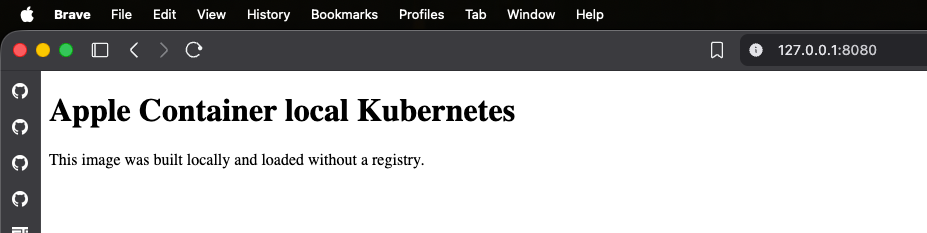
Use a fully qualified image reference. The importer made the image available to CRI as docker.io/library/apple-container-local-demo:0.1.0, while kubelet rejected the equivalent bare name with ErrImageNeverPull. Check the node’s CRI image store when a local image is not found:
container exec sighup-local /bin/sh -c 'crictl images'
The cluster listing shows the node’s internal address and the only port that the plugin publishes to macOS:
container k8s ls
CLUSTER       NODE          ROLE           STATE    CPUS  MEMORY    ADDR          PORTS
sighup-local  sighup-local  control-plane  running  6     16384 MB  192.168.64.8  6445->6443
Apple’s plugin currently has no service load balancer. In this lab, the node’s internal 192.168.64.x address was not reachable from macOS, so kubectl port-forward is the portable way to reach local ClusterIP services:
kubectl -n forecastle port-forward service/forecastle 18081:80
Apple’s original Kubernetes-plugin proposal lists service load balancing through a host-accessible endpoint as future work. Apple also has an open pull request for container k8s create --publish, which maps a stable host port to a node port. For example, a cluster created with --publish 8080:30080 could expose a NodePort service on localhost:8080. It does not add a service load balancer by itself, but it would provide the host-accessible endpoint needed for local ingress and application testing. The change was not merged or included in a Container release when I wrote this article, so a port-forward remains the portable local access path today.
Installing SIGHUP Distribution over the Apple Container cluster
SIGHUP Distribution can install over an existing Kubernetes cluster with the KFDDistribution provider. The documented Minikube tutorial is a strong starting point because it already defines a small, single-node subset: existing CNI, single HAProxy ingress, Loki, Prometheus, and no policy, disaster-recovery, or authentication modules.
Apple Container’s kubeadm bootstrap differs from Minikube in one significant way: it has no default StorageClass. Furyctl checks for one before applying the distribution. I installed the Rancher local-path provisioner for this single-node lab:
./scripts/install-local-path-storage.sh
kubectl get storageclass
Then I installed Furyctl v0.35.1, checksum-verified its macOS arm64 archive, and applied the SIGHUP Distribution v1.35.1 profile:
./scripts/install-furyctl.sh
export FURYCTL_BIN="$PWD/.tools/furyctl/furyctl"
./scripts/deploy-sighup-distribution.sh
Furyctl completed successfully. The cluster scheduled cert-manager, Forecastle, HAProxy ingress, Loki, Prometheus, Tempo, MinIO, and Grafana. Grafana returned HTTP 200 through this local access path:
kubectl -n monitoring port-forward service/grafana 3000:3000
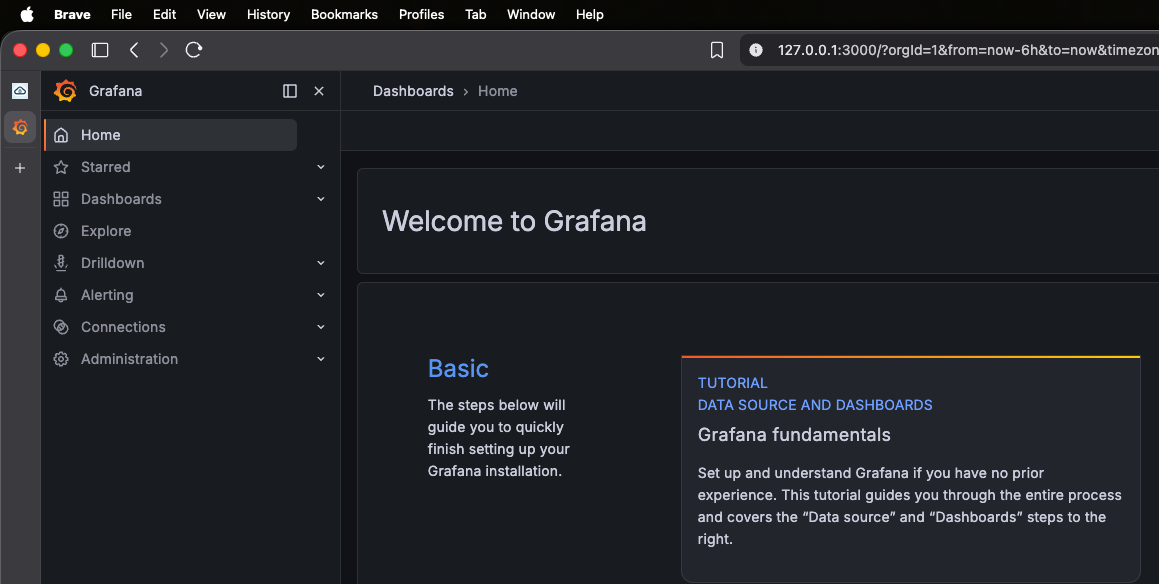
The deployment wrapper removes two systemd-only logging tailers after Furyctl applies the logging module. Those workloads cannot run in this Apple Container node; the remaining logging components, including Fluent Bit, become Ready after the inotify tuning.
Fixing Fluent Bit with node inotify tuning
The first SIGHUP apply left logging/infra-fluentbit in a restart loop while creating its tail input:
[error] errno=24 Too many open files
[error] failed initialize input tail.0
The message initially suggested a process file-descriptor limit. A probe pod disproved that hypothesis: the Kubernetes runtime gave it a soft and hard nofile limit of 1073741816. The limiting resource was inotify instead. The Apple Container node used the default fs.inotify.max_user_instances=128, and 65 instances were already active before Fluent Bit opened watches for every container log on the node.
SIGHUP’s on-premises configuration already recommends higher values, 8192 instances and 524288 watches. I applied those exact values inside the Apple Container node and restarted the Fluent Bit DaemonSet:
./scripts/configure-node-sysctls.sh
kubectl -n logging rollout restart daemonset/infra-fluentbit
kubectl -n logging rollout status daemonset/infra-fluentbit
The scripts/configure-node-sysctls.sh helper runs sysctl -w inside the sighup-local node to set:
fs.inotify.max_user_instances=8192
fs.inotify.max_user_watches=524288
It also writes those values under /etc/sysctl.d/ and prints the effective limits. scripts/bootstrap-cluster.sh invokes the helper automatically after it creates or recovers the cluster, so the tuning is present before the distribution is installed.
Fluent Bit then became Ready with zero restarts and started watching the complete set of log files. I also included the apple-container-inotify-sysctls.patch proposal alongside the lab material, adding the same sysctls to the plugin’s node preparation stage. It is not an upstream-supported fix today, but it is narrowly scoped, derived from existing SIGHUP node guidance, and tested against this workload.
What I validated
The recovered cluster passed the following initial development workflow checks:
| Area | Test | Observed result |
|---|---|---|
| Kubernetes control plane | Waited for CoreDNS and kindnet rollouts | Both became Ready |
| Cluster networking and DNS | Resolved kubernetes.default.svc.cluster.local from an agnhost pod | Resolved to 10.96.0.1 |
| Local image workflow | Built the demo image, loaded it with container k8s load-image, and deployed it with imagePullPolicy: Never | The pod became Ready without a registry pull |
| Service access from macOS | Port-forwarded the demo service | Returned the expected HTTP response |
| Dynamic storage | Bound a local-path PVC, then wrote and read a value from a pod mount | The claim bound and the pod read persistent-volume-ok |
| SIGHUP Distribution | Applied the complete local profile with Furyctl | The apply completed successfully |
| Logging | Removed unsupported systemd-only tailers and waited for Fluent Bit | Fluent Bit became Ready |
| Monitoring access | Ran kubectl -n monitoring port-forward service/grafana 3000:3000 | http://127.0.0.1:3000/login returned HTTP 200 |
| Forecastle access | Ran kubectl -n forecastle port-forward service/forecastle 18081:80 | http://127.0.0.1:18081 returned the Forecastle UI |
This is evidence that the initial local-development workflow works. It is not evidence of general lifecycle reliability. Stopping and starting a manually recovered node changed its internal address, leaving CoreDNS unable to reach the API at the former address. Until that lifecycle is fixed, I would treat this lab as disposable and recreate it with bootstrap-cluster.sh rather than stopping and resuming it.
Where it fits
I have followed Apple Container since its beginning, and I like where it is heading. It is already useful for local container work, and Container Machine and the Kubernetes plugin make it progressively more complete. This lab showed that Apple Container Kubernetes can run a complete local SIGHUP Distribution profile with logging, monitoring, tracing, ingress, and storage.
The plugin still expects familiarity with Kubernetes and Linux internals. Diagnosing a failed bootstrap required reading node-preparation output, checking the selected iptables backend, and completing a narrowly scoped recovery. Running the full profile also required distinguishing a process file-descriptor limit from an inotify sysctl limit. Those are reasonable tasks for an experienced platform engineer, but they add friction for someone who only needs a local cluster to test an application.
For local Kubernetes testing today, I would continue to suggest kind or Minikube when that operational background is not available. Both have more established troubleshooting paths and lower setup friction. Apple Container is a credible option for developers who want one integrated tool for images, containers, machines, and Kubernetes, and who are comfortable working at the node level when needed.
The plugin is experimental, but the successful full-profile deployment suggests a solid foundation. Future releases should reduce the current bootstrap, lifecycle, and service-exposure gaps.
The follow-up article verifies native cluster creation on Container 1.4.1 after replacing an upgrade-retained legacy guest kernel with the recommended Kata kernel. The demo repository now separates the historical recovery from the current native workflow. Host-published NodePort or ingress access still depends on Apple Container functionality that is outside this kernel fix, so port-forwards remain the portable local access path.
Sources
- Apple Container Kubernetes plugin proposal
- Apple Container 1.2.0 release
- Apple Container 1.2.2 release
- Apple Container Kubernetes node preparation failure
- Apple Container legacy iptables fallback pull request
- Apple Container Kubernetes publish-option pull request
- SIGHUP Distribution on Minikube
- SIGHUP Distribution requirements